 Draft2Quote
Turn draft orders into professional quotes.
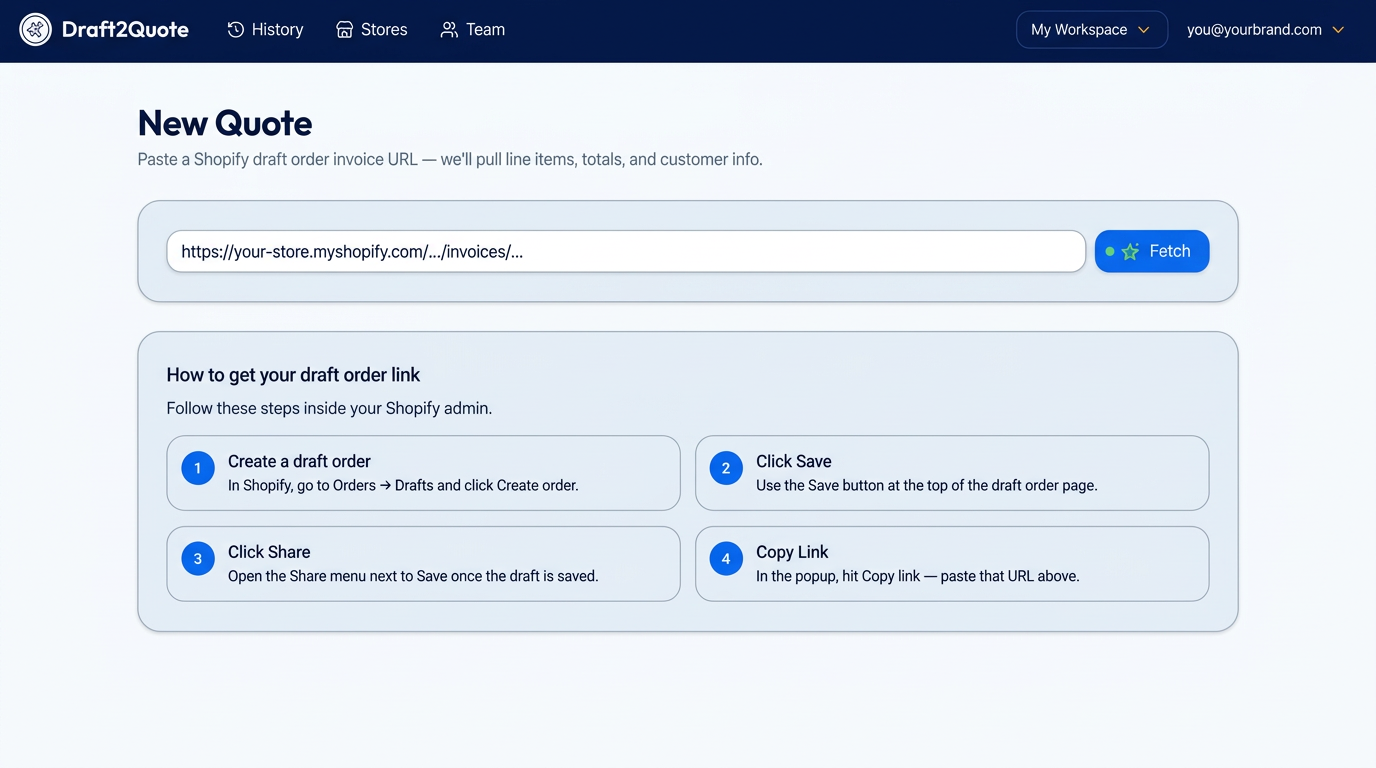
Paste a draft order invoice link. Get a polished PDF quote with your logo, your colors, and a one-tap checkout link your customer can pay from. Built for merchants who need to quote before the sale.
No credit card · No Shopify app install · Set up in under 2 minutes
Trusted by wholesale buyers, B2B sales reps, custom-order shops and multi-store brands
The product
A quoting workflow that fits between Shopify and your customer
No spreadsheets, no Word templates, no copy-paste.
Quote creation
Paste one link. The quote builds itself.
Drop in any Shopify draft order invoice URL and Draft2Quote pulls line items, unit prices, quantities, discounts, taxes, shipping and customer details — then reconciles the math so every line adds up to your Shopify total.
- Automatic line-item extraction
- Unit price vs. line total reconciliation
- Always fetches the latest saved draft
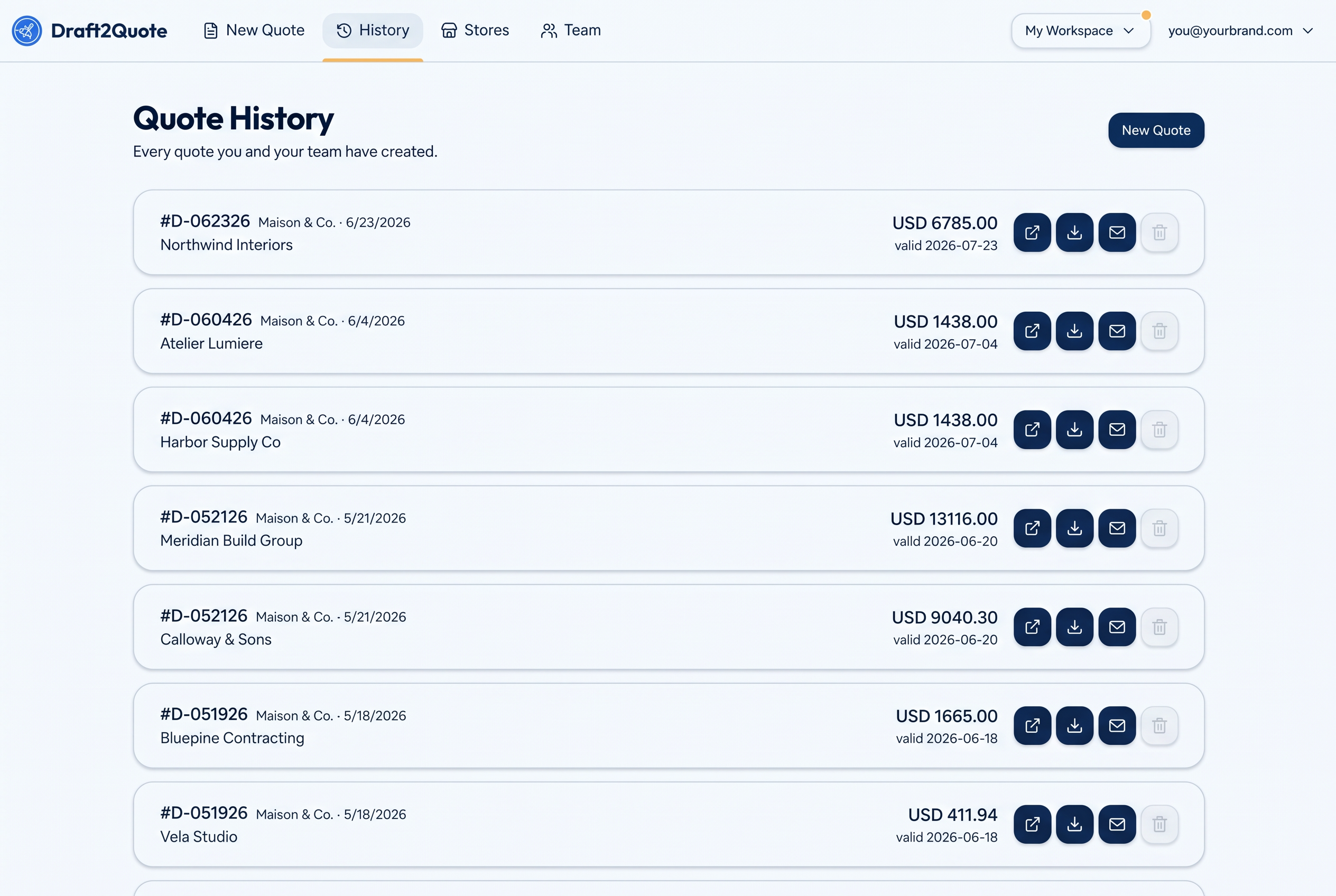
Quote history
Every quote, saved and ready to resend.
Each generated quote is stored with its PDF, totals, validity date and source draft order. Re-download, email it to the customer, jump back to the Shopify draft, or delete it — all from one list shared with your team.
- Re-download any past PDF
- One-click email to the customer
- Jump back to the source draft order
Multi-store branding
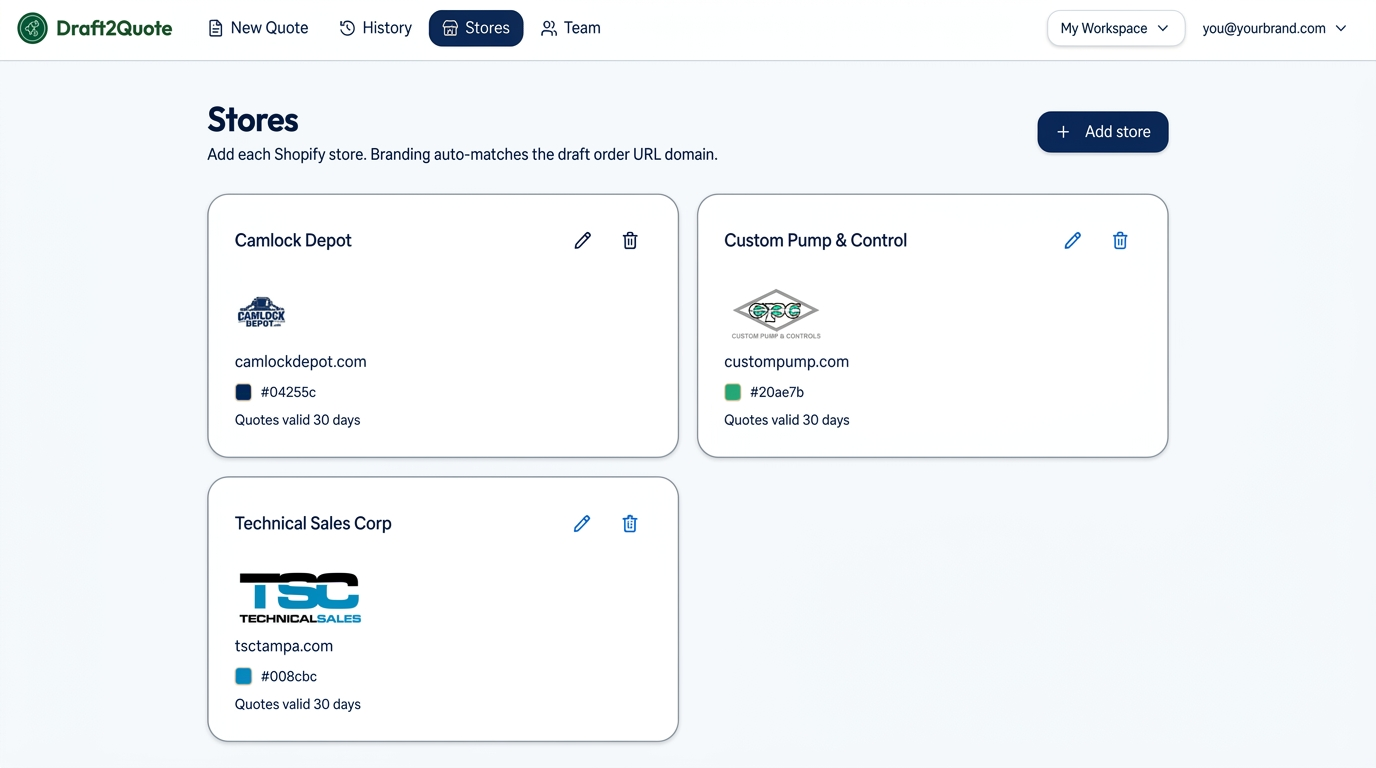
One workspace. Every brand you run.
Add each Shopify store with its own logo, brand color, address and default terms. Draft2Quote matches the store automatically from the draft order URL, so the right branding is applied without you picking it.
- Per-store logo, color and address
- Automatic store matching by domain
- Default quote validity per store
Features
Everything you need to send a quote in seconds
Built specifically for Shopify merchants who quote before they sell.
Paste & go
Drop a Shopify draft order URL. We pull line items, totals, and customer info automatically.
Your branding
Logo, colors, address and footer terms — set per store. Quotes look like they came straight from you.
Multi-store ready
Manage all your Shopify stores in one workspace. Branding auto-matches the URL.
Team workspaces
Invite teammates with owner, admin, and member roles. Everyone shares the same store setup.
Built-in checkout
Every PDF includes a one-tap checkout button and QR code so customers can pay instantly.
Quote history
Every quote saved and re-downloadable. Never lose a follow-up.
Email in one click
Open a pre-filled email to the customer on the draft order, with the quote number already in the subject.
Validity dates
Set a default validity window per store so every quote carries a clear expiry.
Agent integrations
Connect AI assistants over MCP to list stores, browse quotes and pull quote details.
How it works
From draft order to PDF in 30 seconds
Connect your stores
Add your Shopify store domains, upload logos, set brand colors, addresses and default terms.
Paste a draft order URL
Open any Shopify draft order invoice link and paste it in. We read items, customer and totals.
Send the PDF
Download or email a branded quote with a one-tap checkout link. Saved automatically to history.
Security & reliability
Your customer data stays yours
Draft2Quote never asks for Shopify Admin API credentials and never installs into your store. It reads the same public invoice page you already share with customers, then keeps the result locked to your workspace.
Workspace isolation
Every store, quote and PDF belongs to a workspace. Nothing is shared across accounts.
Row-level security
Access rules are enforced in the database, not just in the interface.
Private PDF storage
Generated PDFs are stored privately and served through short-lived links.
Who it's for
Made for merchants who quote before they sell
Wholesale & B2B
Send polished quotes to retail buyers without touching Word or Excel.
Custom orders
Build a draft in Shopify with custom items, then quote your customer instantly.
Multi-brand operators
Run several Shopify stores? One workspace, branded PDFs per store.
FAQ
Questions?
Do I need a Shopify Admin API key?
No. Draft2Quote reads the public draft order invoice page — the same link you'd send a customer. There's no app install and no API setup per store.
Can I use multiple Shopify stores?
Yes. Add as many stores as you want to your workspace. Branding is matched automatically from the draft order URL domain.
How do I invite teammates?
Open Team in your workspace, invite by email, and share the link. Members join with owner, admin, or member roles.
Is my customer data secure?
Quote data is scoped to your workspace and only visible to your team members, enforced at the database level with row-level security.
Can I email the quote directly to the customer?
Yes. Every saved quote has a one-click email action that opens a pre-filled message addressed to the customer on the draft order.
Will it stay free?
Free during beta. Paid plans will come later — beta workspaces keep generous free limits.